

Demystifying Claude's Five Layers: A Framework for Creative Professionals
Anthropic documents every component of Claude's ecosystem thoroughly, but what they have not done is explain how the components relate as a system. That gap is where most of our frustration with Claude lived, so we mapped it in case it is yours too.
Anthropic has shipped more in the first three months of 2026 than most software companies ship in a year. Chat, Cowork, Code, Skills, Connectors, Plugins, Projects, Claude in Chrome. Some of these are modes. Some are layers. Some are the same technology with different names depending on which surface you are working in. Even practitioners who use Claude seriously and daily (we include ourselves here) have found it hard to hold the complete picture at once.
We built a five-layer framework to map it. Anthropic documents each piece; we mapped how the pieces connect. We have applied the framework through the KINTAL 5+2 Benchmark: seven tasks that represent what creative teams actually do every week.
The Five-Layer Model
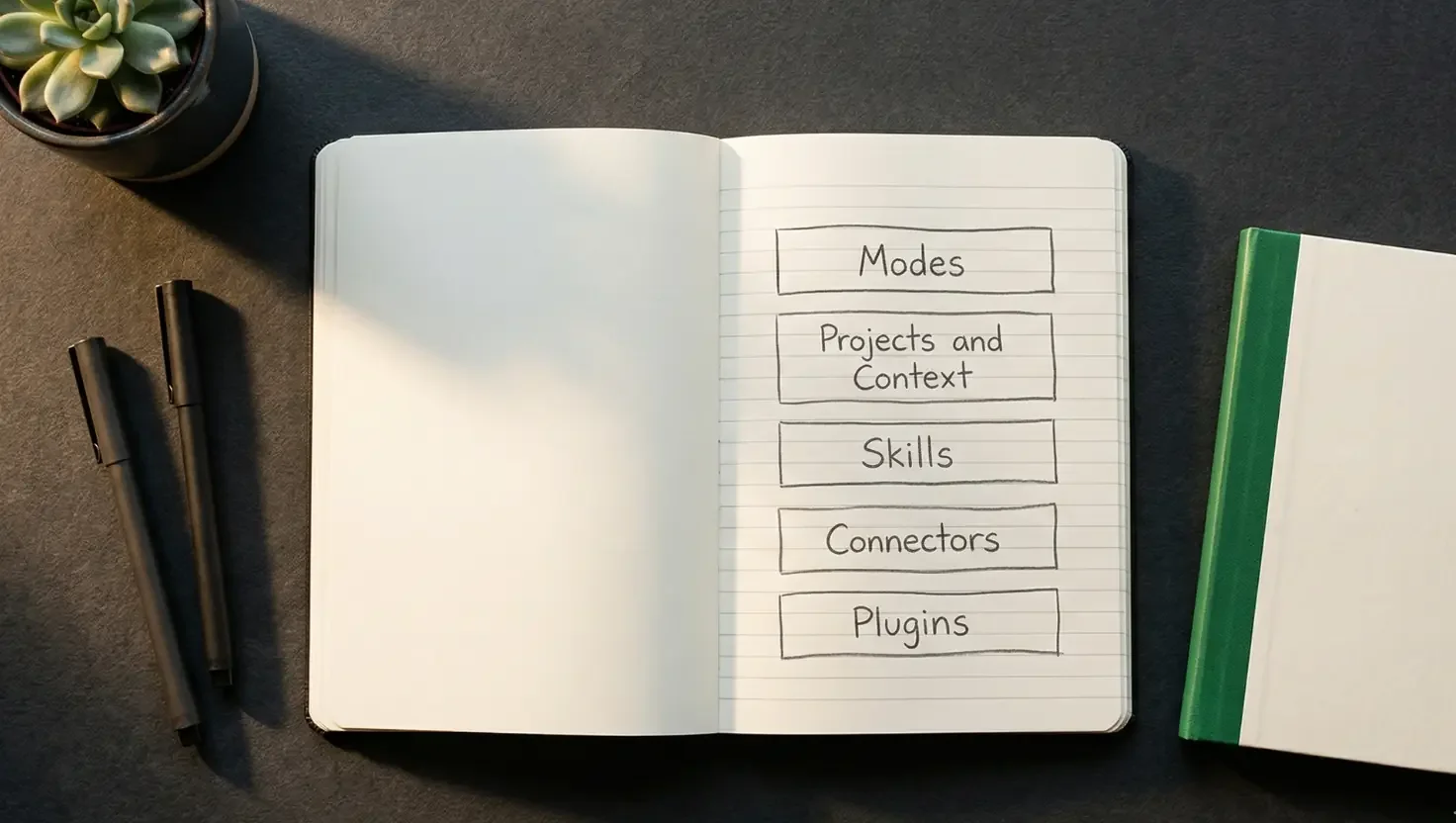
Each layer has a distinct job and connects to the others in specific ways. Together they form a complete system.
Layer 1: Modes. Chat, Cowork, Code. Three interfaces to the same underlying model, each built for a different kind of work.
Layer 2: Projects and context files. Persistent workspaces within each mode. The mechanism that means you do not re-explain yourself every session.
Layer 3: Skills. Portable methodology and process instructions. The one component that travels across all three modes automatically when relevant. The connective tissue of the whole system.
Layer 4: Connectors (MCP) and Claude in Chrome. Live access to the external world. The plumbing that connects Claude to your actual tools, data, and live web environments.
Layer 5: Plugins. Bundled packages of Layers 3 and 4, pre-configured for a specific role or team. The distributable product layer.
The layers are complements. Every piece of confusion in the Claude ecosystem comes from treating components at different layers as competing choices, when they are designed to work together.
Layer 1: The three modes
Chat thinks. Cowork does. Code builds.
Chat is the conversational interface: strategy, briefs, research, iteration, writing. Available in the browser, on mobile, on desktop. It responds to what you ask and works within the conversation window, with no direct access to your file system and no ability to act autonomously on your behalf.
Cowork is the production layer. You describe an outcome; Cowork plans the work, executes it using your local files and connected tools, and delivers finished outputs - a formatted Word document, an Excel workbook with live formulas, a PowerPoint deck - directly to a folder on your machine. The file lands where you work, with no copying from a chat window required.
Code is the build layer. Terminal-based, git-aware, reads your entire codebase, writes and tests code, manages commits. If you are not a developer, this surface belongs to your technical collaborators. Understanding it matters because the same underlying architecture powers Cowork, and everything Cowork can do has a more powerful, more technically demanding equivalent in Code.
The confusion between Chat and Cowork is the most consequential in the ecosystem. If you have ever asked Claude for a brief structure, received a well-organised outline, and then spent twenty minutes manually building the document from its instructions, that is the gap in practice. Cowork produces the document; you come back to a finished file.
Anthropic's own instruction is direct: switch to Cowork when you want Claude to execute non-coding tasks. Chat is for conversation; Cowork is for delegation. The distinction is about who does the assembly work.
Layer 2: Projects and context files
Each mode has a different memory system, and none of them connect to each other automatically. This single fact explains more practitioner frustration than any other aspect of the ecosystem.
Chat has no persistent memory between conversations by default. Claude's broader memory feature builds ambient context from past conversations on paid plans, but this is account-level rather than project-specific. Each new Chat conversation starts without knowledge of the last one unless you are working inside a Chat Project, which carries uploaded files and custom instructions across all chats within it.
Cowork sessions start fresh. Every session begins from zero unless you have built context files: small Markdown documents that Cowork reads automatically at the start of every session. An about-me.md that tells Claude who you are and what you do. A voice-rules.md that captures your tone and what to avoid. A project brief carrying the client context. Write them once, keep them in your Cowork folder, and every session starts already knowing you.
The finding that comes up consistently across every serious Cowork practitioner guide: the gap between out-of-the-box Cowork and properly configured Cowork is approximately 30 minutes of setup, done once. The practitioners who describe transformative results are consistently the ones who did this step. The practitioners who describe Cowork as overhyped are consistently the ones who skipped it.
Chat Projects and Cowork Projects work similarly in concept but are entirely separate systems. Chat Projects live in the cloud, are shareable with teammates, and load background context into every conversation within the project. Cowork Projects are local to your machine, with memory that accumulates across sessions within that project. What Claude learns working on a client engagement in a Cowork Project stays in that project, with no leakage into other work and no visibility in Chat.
The only component that moves across everything, without manual transfer or configuration, is Layer 3.
Layer 3: Skills - what actually connects the ecosystem
Skills are the most underused component in Claude's ecosystem, and the one that genuinely travels across Chat, Cowork, and Code without any setup and without being asked.
Anthropic's own definition: Skills provide procedural knowledge, instructions for how to complete specific tasks or workflows. A Project carries background context about what you are working on. A Skill carries methodology: how to do something, every time it is relevant, regardless of which mode or project you are in.
The practical difference is specific. A Project knows you are working on a pitch for a particular client. A Skill knows how to translate a messy internal brief into a polished client-facing narrative. The Project gives Claude the situation; the Skill gives Claude the process.
Skills load progressively. Claude scans skill metadata, a name and a short description at roughly 30 to 50 tokens each, and only loads the full instructions for skills relevant to the current task. You can have dozens installed without bloating your context window.
The signal to create a skill: if you find yourself copying the same instructions across multiple projects, that process belongs in a skill. Once it is a skill, it is available everywhere, automatically, without being asked.
For creative teams, skills are where your methodology belongs: brief rubric, insight-generation framework, creative variance test, voice and tone standards, client communication templates. These are repeatable processes, and once they live in skills they work across the entire ecosystem, in Chat when you are thinking and in Cowork when you are producing, without re-explaining anything.
Layer 4: Connectors, MCP, and Claude in Chrome
Connectors are how Claude reaches beyond your local machine into the tools where your actual work lives.
Anthropic created the underlying standard, the Model Context Protocol (MCP), as an open specification: a universal plug format for AI tools. Any application that builds an MCP server can connect to Claude. Gmail, Google Drive, Slack, Notion, Figma, Canva, Stripe, Supabase, and dozens more are already available. In Cowork's interface these appear as Connectors, accessible from the sidebar. For most of them, setup is a single sign-in with no code required.
The Skills and Connectors relationship is the most commonly conflated pairing in the ecosystem. A Gmail Connector lets Claude read your inbox; a client-communications Skill tells it how to handle your specific tone, standards, and sign-off conventions. One layer supplies access; the other supplies process. Both are required for the output to be genuinely useful.
One naming inconsistency Anthropic's documentation does not currently address: in Cowork's interface these integrations are called Connectors, while in Claude Code and the API the same technology is called MCP servers. Same thing, two names, depending on which surface you are working in. Worth knowing before you spend time trying to reconcile documentation that appears to describe different systems.
Claude in Chrome sits within this layer as a browser execution extension: a Connector that registers inside Claude Desktop settings and extends Cowork's reach into live web environments. Available in beta on all paid plans.
The most useful combination is Cowork plus Chrome. Cowork handles file-based work on your machine; Chrome gives it access to live websites, dashboards, and browser-based tools that have no direct API connection. Claude reads a page, clicks a button, extracts data from a live tool, and passes that into a Cowork workflow that produces a finished document. Competitive analysis requiring visits to multiple sites, a brief that arrived via a client portal, market data that only exists in a browser dashboard: Chrome is how these reach Cowork without manual copy-paste.
A practical constraint: the workflow is slower than demos suggest. Every browser action requires a screenshot sent back to Cowork for the next decision. Plan multi-source research tasks accordingly.
On security, this section is not optional reading. Claude in Chrome carries documented, substantive risks that anyone using it professionally needs to understand.
Prompt injection is the primary threat. Malicious instructions hidden in web content, whether websites, emails, documents, or HTML, can trick Claude into taking unintended actions, including extracting sensitive information or performing actions without your authorisation. Anthropic's own red-teaming at launch identified a 23.6% prompt injection success rate in autonomous mode. Mitigations have since reduced this significantly, with current testing showing approximately 1% against their adaptive attacker methodology.
A high-severity vulnerability in versions below 1.41 of the Chrome extension, which allowed manipulation of Claude to read Google Drive documents and steal session tokens, was patched in March 2026. Check your extension version before using it on any sensitive workflow. For creative professionals browsing client portals and third-party research sources: use "Ask before acting" confirmation mode as your baseline, and reserve autonomous mode for trusted sites only.
Layer 5: Plugins
Plugins are the finished installation you hand to a team. Each one bundles Skills, Connectors, slash commands, and sub-agents into a single installable package, pre-configured for a specific role or function. Install it and Claude shows up already knowing how a particular kind of work gets done.
Anthropic shipped 11 open-source plugins at launch in January 2026 and has since expanded the marketplace to cover sales, legal, marketing, finance, data analysis, product management, and more. Enterprise plans can build private plugin marketplaces that install automatically for new team members.
For a solo operator or small consultancy that has already built a Skills library, Plugins add little. The format matters primarily as a distribution mechanism: how you share your configuration with a client team, or how an agency standardises across a larger group. The methodology, voice standards, brief templates, and workflow processes that currently live in onboarding documents could be packaged as a Plugin, so a new team member installs it and Claude already knows the house style and delivery process before their first session.
The five layers applied: creative work mapped to the model
Here is how the framework maps to the seven tasks in KINTAL’s Benchmark.
Consumer insight and brief generation. Chat, inside a well-loaded Project with client context, past briefs, and examples of strong insight work. A Skill encoding an insight-generation framework raises the output ceiling significantly. The difference between a demographic observation and a human truth is the kind of distinction that belongs in a Skill, encoded once and applied every time.
Script writing. Chat, iterative and conversational. The Skill doing the most work encodes craft standards that prevent the model from converging on competent-but-generic structure. Examples of shootable scripts, loaded as Project knowledge, give Claude something real to calibrate against.
Brief-to-pitch translation. The judgment, understanding what the client needs and what the messy internal document is actually saying, happens in Chat. The production, a formatted client-ready document delivered to a folder, happens in Cowork. If you are doing both in Chat and manually formatting the output, you are doing Cowork's job by hand.
Variation generation. Chat or Cowork depending on whether you need formatted document outputs. The critical component is a Skill with explicit divergence instructions. A model without this encoded at the Skill level defaults to surface variation regardless of how the prompt is phrased, producing five executions of the same idea rather than five genuinely distinct approaches. That is a configuration gap, and it is solvable.
Adaptive planning under disruption. The reasoning happens in Chat. The deliverable, a revised scope, a prioritised cut list, a decision document, comes out of Cowork. If the task requires current project status from Notion or a live calendar check, a Connector brings that data in without manual transfer.
Image variation generation. Claude can produce genuinely distinct visual direction documents: five strategic territories, each with a different aesthetic rationale, production approach, and reference direction. The pixel-based render requires a handoff to a dedicated image tool. Leaked configuration files suggest native image generation may arrive before the end of 2026. That separation between conceptual layer and production layer is how skilled creative teams already work.
Triggered content pipeline. Cowork, with a properly configured Project, scheduled tasks, and relevant Connectors. A brief arrives via Gmail (Connector reads it), Cowork reads the brief against your templates and past examples (context files and Skill), and produces a storyboard structure and moodboard direction document without a human in the generation loop. A standing-start session without context produces something structurally adequate but creatively generic; a well-configured session produces something the team can pick up and move forward with.
The setup investment
The setup question has an honest answer. Getting Cowork running takes under ten minutes: installing the desktop app, pointing it at a folder, connecting one or two Connectors. Getting it working well takes approximately 30 minutes done once, covering context files, Global Instructions, and your first Cowork Project for recurring work. This is the step most people skip, and the one that separates practitioners who find Cowork transformative from practitioners who find it disappointing. Chat setup scales with investment, from five minutes for functional to closer to an hour for a well-loaded Project that pays back across every session that follows. Skills compound over time; the first takes 20 minutes to write properly, each subsequent one is faster, and KINTAL's own library of 25 was built in the first three months of using Claude seriously. We have not re-explained our methodology to the system since.
The gaps worth knowing
Two current limitations matter specifically for creative teams. Claude has no native image generation: SVG graphics, interactive visualisations, and detailed visual direction documents are within scope, but pixel-based render requires a handoff to dedicated tools, and this may change before the end of 2026. Each mode also keeps its own memory; the only component that crosses between them automatically is Skills, which is precisely why building your methodology into Skills rather than project instructions is the highest-leverage configuration decision in the ecosystem.
A note on how this was made: This article was researched using Claude web search and a systematic review of Anthropic's official documentation, independent practitioner guides, and security research published between January and March 2026. The five-layer framework is KINTAL's own synthesis, original analysis built on verified primary sources. Anthropic documents each component; we mapped how they relate and compared our recommendations with industry discourse. The framing, the editorial judgements, the task applications, and every significant decision in the piece were ours. The research and drafting were done with Claude and Perplexity. The image was generated with Gemini.