

What Wispr Flow does, and what you need to know before you use it on client work
This article reflects what is publicly documented and personally verified as of 22nd May 2026. Tool behaviour, pricing, and privacy controls change; if you are reading this some time after publication, check Wispr's current documentation alongside it.
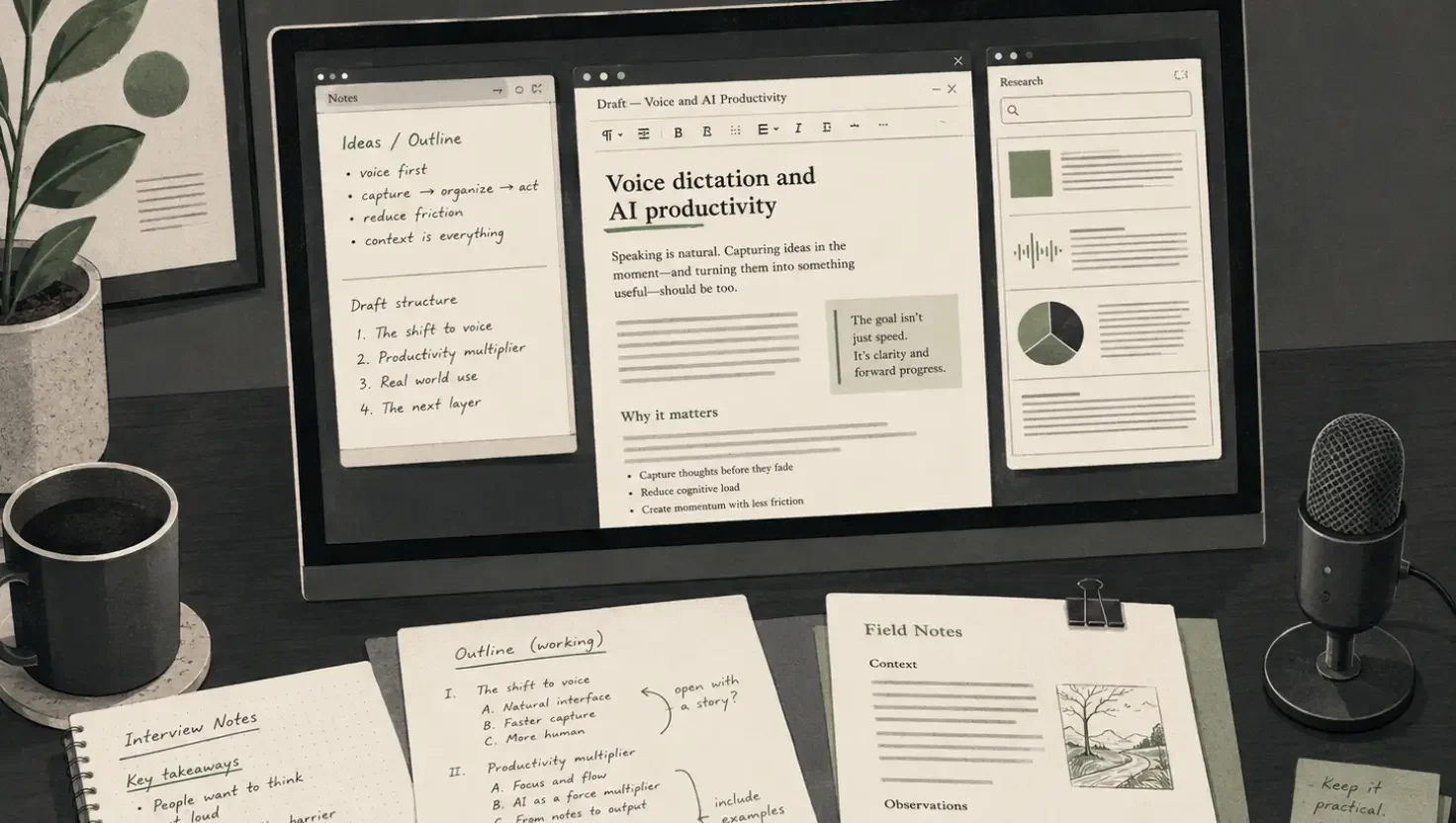
Wispr Flow had been on my radar for months, and every time it came up I scrolled past it with the quiet confidence of someone who has already decided. I use AI daily, and most tools have voice input so I already have it covered. To me it was just another subscription for something essentially already in the stack. Read on to find out why I changed my mind.
There was a second reason I had not tried it. My primary machine runs Windows ARM64, and Wispr Flow does not currently support that architecture. When I looked into whether there was a workaround, the privacy concerns I had already read about made it easier to leave the question alone. No clean compatibility path, plus a tool with a documented history of capturing screenshots and routing audio through US cloud infrastructure, added up to a fairly easy pass.
What changed my mind was giving it a proper week on a different machine, and what I found was that the wrong assumption I had made about what the tool was mattered more than either of the barriers that had kept me from trying it.
The assumption: dictation is dictation, and I already have it. That is not what Wispr Flow is.
I gave it a proper week. What shifted wasn't the headline feature. It was a specific moment partway through the week when I was working through feedback on a brief. I had the original document open, a thread of comments from a collaborator in another window, a Slack conversation running alongside it, and Claude open to help me work through each point. The old workflow would have meant copying text across, switching windows, losing my thread, starting again. Instead I just talked, moving between documents, checking a comment, looking back at the draft, carrying on speaking without breaking the working session. Wispr Flow routes to wherever your cursor is, so the switching doesn't interrupt the thinking.
And that was my a-ha moment.
What it is
Wispr Flow intercepts every text input field across your system, whether that is Gmail, Notion, Slack, Claude, a Google Doc, or a web form, and converts what you say into cleaned, formatted text, adjusting for the type of field you are writing into. A message to a colleague comes out differently to a strategic document.
The mechanism that makes it useful beyond basic transcription is cursor focus routing: text lands in whichever window is active. It sounds like a small thing. In practice it means you can move around your desktop, pick up and put down different documents, and narrate across all of them without copying, pasting, or losing your working context, which is a genuinely different way of operating for anyone whose work involves considering several threads at once.
The app runs on Mac, Windows, iOS, and Android. Mac is the most stable; Windows support launched in early 2025 and is functional but less polished based on independent reviews. Windows ARM64 is not currently supported, which rules out a growing number of machines running that architecture. The mobile app opens up a different use case covered below.
The use cases worth knowing about
Multi-document problem solving. The brief revision scenario above is the one that changed how I think about the tool. Brief-based creative work is almost always multi-document: the original brief, the feedback, the reference material, the draft, the client thread. The friction has always been context-switching. Wispr Flow doesn't eliminate that switching; it means the switching no longer breaks your voice or your train of thought.
Richer prompts to AI tools. When the cost of typing limits how much context you give, your prompts get shorter and less useful. Speaking removes that friction. Prompts that would have been two sentences become full paragraphs because it costs nothing to include the full picture. If you use Claude, ChatGPT, or Perplexity regularly, the quality difference in outputs when you brief properly is not subtle.
Thinking on a walk. The mobile use case is one I had used before and consistently underestimated. The value is less about capturing on the move and more about what happens to the quality of thinking when you are not staring at a screen. Walking and talking through a problem produces different, often better, material than sitting and typing at it. Wispr Flow on your phone captures those unscrambled thoughts without requiring you to format them in the moment, so you come back to something workable rather than a fragmented set of notes.
Snippet automation. A power-user feature that earns its place for repeatable workflows. Set a trigger phrase, say it, and a full block of text drops in, whether that is a scheduling link, a brief template opener, a standard outreach message, or a prompt you use repeatedly. For anyone who finds themselves copy-pasting the same text multiple times a day, this is a meaningful time saving.
Auditory thinkers and neurodiverse working patterns. Most Wispr Flow coverage frames this as accessibility, which undersells it. For people who think better by talking than by writing, speaking is the primary cognitive interface, and the keyboard has always been the workaround. Wispr Flow doesn't help those people adapt to keyboard-first tools; it gives them a different interface entirely. The same applies to anyone whose thoughts move faster than their typing, anyone who over-explains in written form and wants a tool that edits that out, and anyone who finds that talking through a problem produces sharper thinking than writing through it.
What you need to configure before using it on work that matters
Wispr Flow had a significant privacy incident in late 2025. A user monitoring network traffic found the app capturing screenshots of active windows and transmitting them to cloud servers as part of its Context Awareness feature, without clear prior disclosure. Wispr's initial response included banning the user who raised the concern, which compounded the reputational damage considerably. The CTO subsequently issued a public apology, the privacy policy was updated, and meaningful changes were made to data handling.
The situation as of 22nd May 2026 is materially better, but it requires your active attention before you use it on anything sensitive.
Privacy Mode is free and meaningful. Enable it via Settings > Data & Privacy on any plan, including free. When active, no audio, transcripts, or edits are stored on Wispr's servers or used for model training, and that extends to third-party subprocessors. It is the first thing to configure.
Context Awareness reads the text in your active window. This is a separate toggle from Privacy Mode, and it is what makes the tool contextually intelligent. Whatever document is in focus when you dictate, its text content is read and sent through Wispr's processing pipeline to improve transcription and formatting. For general drafting that trade-off makes sense. For work involving confidential briefs, unreleased creative, commercially sensitive strategy, or anything client-specific, turning it off is the cleaner choice, even at the cost of some contextual formatting quality.
Analytics tracking continues regardless of Privacy Mode. PostHog, Sentry, and Segment telemetry run on all plans. Word counts, usage patterns, and app activity are collected and shared with Wispr's enterprise CRM provider, and there is currently no in-app toggle to prevent this.
All audio processing routes through US infrastructure. Wispr uses AWS US East by default. For UK-based practitioners this means audio leaves your device and is processed in the US on every use, with no UK or EU data residency option currently documented. If you are working under client contracts with data processing obligations, or if your clients operate under sector-specific data governance requirements, this is a question worth addressing before putting the tool into that workflow. The right step is to take appropriate advice for your specific situation rather than assuming the tool's privacy policy answers your compliance question.
For teams, enforced privacy governance requires Enterprise pricing. A solo practitioner who enables Privacy Mode gets the same zero-data-retention behaviour as an enterprise user. The difference is that there is no admin mechanism to verify or enforce that across a team without an Enterprise plan, which is priced on application with no published floor figure. For studio directors and heads of production who need to confirm team-wide compliance, that is a real constraint, and a commercially odd one for a tool that markets heavily to small teams.
The desktop screenshot question has a gap in the documentation. Wispr's documentation explicitly confirms that screenshot and view hierarchy capture is disabled in production on iOS and Android. An equivalent statement for Mac and Windows desktop apps is absent from current public documentation. Worth raising directly with Wispr support before using the desktop app on sensitive work.
The practical guidance
Enable Privacy Mode before anything else. Decide on Context Awareness based on what you are working on: on for general drafting, off for anything client-specific or commercially sensitive. For anything involving personal data, client data, or work covered by data processing obligations, satisfy yourself that the architecture meets your requirements before proceeding. If there is any doubt, take appropriate advice rather than relying on the terms of service.
For UK and EU businesses specifically, the US data routing is worth a conversation with whoever handles your data governance. It may be entirely fine for your situation, or it may require specific contractual clauses with clients. The point is to make that decision deliberately.
Used with that configuration in place, the tool is genuinely worth the trial. The multi-document workflow benefit compounds. The auditory thinking use case is underserved by most tools in the market. The responsible path is to configure it correctly, understand what it does and does not protect, and use it where it makes sense.
Try it
At the time of writing, Wispr Flow offers a two-week Pro trial at no cost. Running it properly, with Privacy Mode on from day one, gives you a reliable read on whether the multi-document workflow makes the difference it made for me. Most people who try it for a full week either adopt it or identify clearly why it does not fit their working pattern. Productivity tools of this kind tend to click quickly or not at all, and either way you will know. wisprflow.ai
A note on how this was made: background research was conducted using Perplexity Deep Research, including a targeted follow-up on Wispr's privacy architecture drawing on Wispr's own current documentation, and a second research pass to surface the most commonly searched user questions. Claude was used for drafting and structural editing, Wispr Flow was used to refine the article and analyse the research. I used ChatGPT to generate the article image and SEO. The framing, the use cases, the privacy assessment, the editorial judgement, and every significant decision along the way were mine.
Frequently asked questions
Privacy controls, pricing, and tool behaviour move quickly. The answers below reflect what is publicly documented as of 22nd May 2026. Where an answer is particularly likely to change, that is noted. Check Wispr's current documentation before making decisions based on any of this.
-
It depends on what you are using it for and how you configure it. With Privacy Mode enabled and Context Awareness turned off, it is a reasonable choice for general drafting and personal productivity work. For anything involving confidential client material, commercially sensitive content, or personal data, the configuration decisions and compliance questions covered in this article need answering first. The tool has a credible privacy incident in its recent history; the response was handled imperfectly but the subsequent changes were meaningful. Informed use with correct settings is a different proposition from using it out of the box.
-
Privacy Mode is available on all plans, including the free tier. Enable it via Settings > Data & Privacy. When active, no audio, transcripts, or edits are stored on Wispr's servers or used for model training by Wispr or any third-party subprocessor.
-
Wispr's documentation confirms that screenshot and view hierarchy capture is disabled in production on iOS and Android following the 2025 incident. An equivalent statement for Mac and Windows desktop apps is not currently present in public documentation. If this matters for your use case, contact Wispr support directly for confirmation before using the desktop app on sensitive work.
-
Context Awareness reads the text content of your active window and sends it through Wispr's processing pipeline to help the tool format and contextualise your dictation more accurately. It is opt-in and can be toggled at any time. For general drafting it adds value; for work involving confidential briefs, client material, or commercially sensitive content, turning it off is the cleaner choice.
-
Audio is processed through a number of third-party infrastructure providers, which have included OpenAI and others, before being discarded under Privacy Mode. The subprocessors list is published at docs.wisprflow.ai and was last updated 13th May 2026. With Privacy Mode on, those providers are contractually bound to zero data retention. Check the current subprocessors list if this matters for your compliance requirements.
-
Audio is processed in the cloud on Wispr's infrastructure (AWS US East), then immediately discarded under Privacy Mode. It is not stored, not used for training, and not retained by Wispr or its subprocessors. Privacy Mode governs what happens after processing; the processing itself still occurs off-device.
-
Two separate questions worth addressing together. On UK GDPR: Wispr does not currently offer a UK or EU data residency option; audio processing defaults to US East infrastructure. Whether this meets your specific data processing obligations depends on your contracts, your clients' requirements, and your sector. On the EU AI Act: Wispr Flow sits in a category of AI systems that process personal data and influence written output, which means it is worth assessing against your obligations if you work with European clients or operate under EU jurisdiction. Neither question has a universal yes or no answer. Take appropriate advice for your specific situation rather than assuming the tool's privacy policy covers either.
-
With Privacy Mode enabled, no. Training is opt-in and off by default. With Privacy Mode off, your audio and transcripts may be used for model improvement unless you have explicitly opted out via the data controls settings.
-
Enforced team-wide privacy governance, where an admin can lock Privacy Mode on for all users and prevent it being disabled, is an Enterprise feature. Individual users on free and Pro plans can enable Privacy Mode themselves, but there is no admin control to verify or require this without an Enterprise plan. Enterprise pricing is not published; contact Wispr sales for a quote. For a tool that markets heavily to small creative teams, the absence of a mid-tier governance option is a genuine gap.
-
For anyone whose work involves regular drafting across multiple tools or documents, and who is willing to configure it properly and give it a full week, yes. The compounding benefit of not breaking your working context every time you switch windows is real, and it is hard to appreciate until you have experienced it. For light or occasional use, the free tier's word limits will likely constrain you before you get a reliable read on the value.
-
No. OpenAI Whisper is an open-source speech recognition model. Wispr Flow is a separate commercial product built by a different company that uses its own AI processing pipeline. The similar names cause genuine confusion; they are unrelated.
-
Partly. Windows support launched in early 2025 and the app is functional, but independent reviewers consistently describe it as less polished and less stable than the Mac version. Windows ARM64 is not currently supported at all, which affects a growing number of machines. If your primary device runs Windows ARM64, you will need a different machine to run the trial, and that compatibility gap is worth weighing before committing to a subscription.
-
Yes. Wispr Flow applies AI editing to clean transcriptions in context, removing filler words and adjusting formatting based on the type of field you are writing into. The degree of cleaning can be configured in settings, including the option to trim over-explanation if you tend toward providing more context than needed.
-
With caveats. Whisper mode and a directional or gooseneck microphone can make it workable, but the open-plan environment creates two problems. First, background conversations and ambient noise affect transcription accuracy, particularly with omnidirectional microphones or built-in laptop mics. Second, the tool may pick up other people's speech and incorporate it into your dictation without obvious warning. In a week of use I had a couple of moments where a background audio catch caused a silent failure I did not spot immediately. For open-plan environments, a close-microphone setup is not optional; it is a functional requirement.
-
A pattern across user reviews is a noticeable drop in accuracy after the free trial ends, which suggests possible quality tiering between trial and paid performance. If this happens, check your language settings first (Settings > General > Languages), then your microphone setup, then raise it with Wispr support. If the degradation persists post-subscription, it is worth noting as a signal rather than dismissing as a settings issue.
-
Generally high with a decent microphone. AirPods or an external close-microphone setup produces noticeably better results than a built-in laptop mic. Run the full trial on your actual working setup, with the microphone you will actually use, to get a reliable read.
-
Multiple users with ADHD report it as significantly beneficial, citing the ability to externalise thinking verbally rather than managing the cognitive load of typing while also thinking. The research corroborates this: one user described it as giving back hours of their day. The friction-reduction benefit for people who think faster than they type is particularly marked.
-
Yes, and this is one of the more underrated use cases. The quality of AI output is directly related to the quality of context you provide. When typing is the bottleneck, prompts get shorter. Speaking the full picture costs nothing extra, and the difference in output quality when you brief an AI tool properly is consistent and noticeable.
-
The honest answer depends on what matters most to you. SuperWhisper processes audio locally on your device, which means audio never leaves your machine. For anyone working on confidential client material who wants an architectural privacy guarantee rather than a contractual one, that is a meaningful difference. Wispr Flow syncs across devices, applies smarter contextual AI editing, and handles the multi-window workflow described in this article more fluidly. If privacy architecture is your primary concern, SuperWhisper is worth evaluating. If cross-device workflow and contextual intelligence are the priority, Wispr Flow has the edge, with Privacy Mode correctly configured.
If anything in this FAQ no longer reflects Wispr Flow's current policies or pricing, the most accurate source is Wispr's own data controls documentation at docs.wisprflow.ai.